
10 Free Gaming Intro Templates (No Text Logo Reveals)
Table of Contents
ToggleAre you a gamer ready to take your Twitch or YouTube channel to the next level? A professional intro is essential for branding, but hiring a designer or learning complex software like After Effects can be time-consuming and expensive.
We've compiled the ultimate list of **10 free gaming intro templates** that feature dynamic, high-impact **no text logo reveals**. The best part? These are ready-to-use **MP4 files**, meaning you can download them instantly and use them with minimal effort, no specialized skills required!
Why Choose Textless MP4 Gaming Intros?
When it comes to content creation, speed and branding are everything. Textless intros force your audience to focus only on your logo, instantly building brand recognition. Choosing the MP4 format saves you the hassle of dealing with complex project files and slow rendering times, making your workflow faster and smoother.
Ready-to-Use MP4s: Your Dynamic Logo Backgrounds
Forget spending hours mastering expensive Adobe software. These templates are pre-rendered MP4 video backgrounds. They function as a spectacular animated stage for your logo to pop up, using powerful effects like fire, lightning, and particle bursts. Simply layer them in your editor and watch the magic happen.

1. Abstract Digital Waves Light Intro Background 3D+2D No Text
Visual Style: This background features a complex, evolving pattern of digital waves, rendered with deep blacks and vibrant light lines, creating a high-energy, modern aesthetic. It evokes data streams and technological interfaces.
- **Best For:** Futuristic, Tech Review, Sci-Fi, Cyberpunk, or Music Channels.
- **Resolution:** 4K (Ultra HD)
- **Duration:** Varies (Designed with Loopable Potential)
- **File Size:** [Check the specific download page]
- **Required:** Any video editor that supports MP4 overlay and blending modes ('Screen' or 'Add').
2. Magic Dimension Gaming Intro No Text
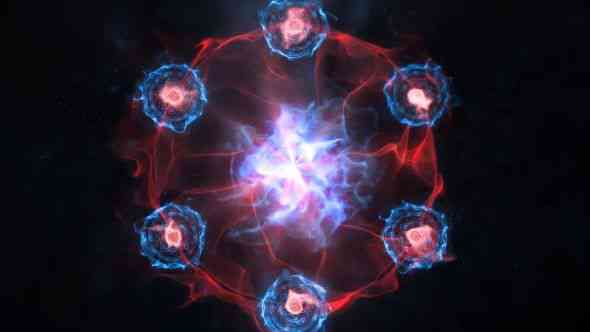
Visual Style: An immersive visual effect of light swirling into a portal, creating an instant sense of awe and wonder. The animation focuses on depth and subtle lighting shifts, simulating a gateway to another dimension.
- **Best For:** Role-Playing Games (RPGs), Fantasy, Lore, Cinematic Gaming, or channels dealing in the mysterious.
- **Resolution:** 4K (Ultra HD)
- **Duration:** [Check the specific file after download]
- **File Size:** [Check the specific file after download]
- **Required:** Any video editor that supports MP4 overlay and blending modes ('Screen' or 'Lighten').

3. Digital Matrix Gaming Intro No Text
Visual Style: A futuristic and high-tech effect, often featuring flowing digital code, neon grids, or binary stream animations. Perfect for creating a sharp, hacker-style logo reveal that emphasizes digital precision.
- **Best For:** Cyberpunk games, Hacking/Strategy content, High-tech streams, or channels focused on competitive esports.
- **Resolution:** [Suggest 1920x1080 or 4K]
- **Duration:** [Suggest a short duration, e.g., 0:05 seconds]
- **File Size:** [Check the specific file after download]
- **Required:** Any video editor that supports MP4 overlay and blending modes ('Screen' or 'Add').

4. Abstract Light Streaks Gaming Intro No Text
Visual Style: A dynamic, fast-paced animation featuring bright, energetic light streaks moving quickly across the screen. This creates a high-velocity, exciting feel perfect for a quick logo reveal.
- **Best For:** Fast-paced content, FPS games, Racing games, or channels that require a very short, high-impact opener.
- **Resolution:** 1920x1080 (Full HD) - *Please check the file for exact resolution.*
- **Duration:** [Suggest a very short duration, e.g., 0:05 seconds] - *Please check the file.*
- **File Size:** [Check the specific file after download]
- **Required:** Any video editor that supports MP4 overlay.
5. Explosion Logo Reveal Gaming Intro No Text
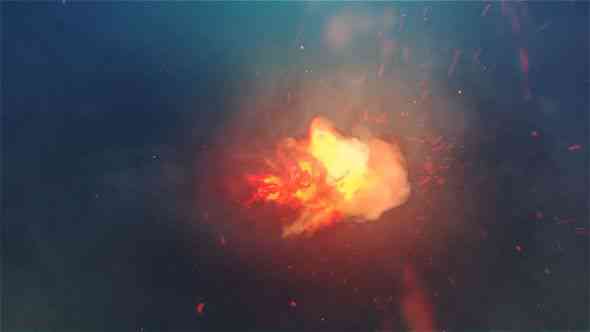
Visual Style: A dramatic and high-impact animation where the logo emerges from a powerful, fiery, or energetic explosion. This provides an immediate sense of action and intensity for the opener.
- **Best For:** Action-Adventure games, FPS, Fighting Games, or any channel with an aggressive/intense brand.
- **Resolution:** [Suggest 1920x1080 or 4K] - Check the download file for exact specs.
- **Duration:** [Suggest a short duration, e.g., 0:04-0:06 seconds]
- **File Size:** [Check the specific file after download]
- **Required:** Any video editor that supports MP4 overlay and blending modes ('Screen' or 'Add').
6. Hyperspace Sci-Fi Warp Speed Gaming Intro No Text
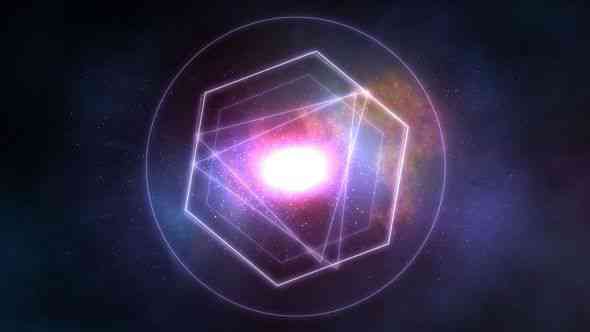
Visual Style: A cinematic effect that simulates accelerating into warp speed or hyperspace. The screen is filled with streaking light trails and deep cosmic blues/purples, creating a sense of rapid movement before the logo snaps into focus.
- **Best For:** Sci-Fi games, Space Sims, Cinematic Openers, or channels with content focused on speed and exploration.
- **Resolution:** [Suggest 1920x1080 or 4K] - Check the download file for exact specs.
- **Duration:** [Suggest a moderate duration, e.g., 0:08 seconds]
- **File Size:** [Check the specific file after download]
- **Required:** Any video editor that supports MP4 overlay and blending modes.

7. Blue Gradient Lines Gaming Intro No Text
Visual Style: A clean and modern aesthetic featuring smooth, flowing lines of blue gradient light. This style is minimalist yet dynamic, providing a professional and sleek backdrop for a logo reveal.
- **Best For:** Streamers, mobile gaming channels, tutorials, or content that requires a clean, non-aggressive brand look.
- **Resolution:** [Suggest 1920x1080 or 4K] - Check the download file for exact specs.
- **Duration:** [Suggest a moderate duration, e.g., 0:06 seconds]
- **File Size:** [Check the specific file after download]
- **Required:** Any video editor that supports MP4 overlay and blending modes.
8. Particles Glowing Gaming Intro No Text
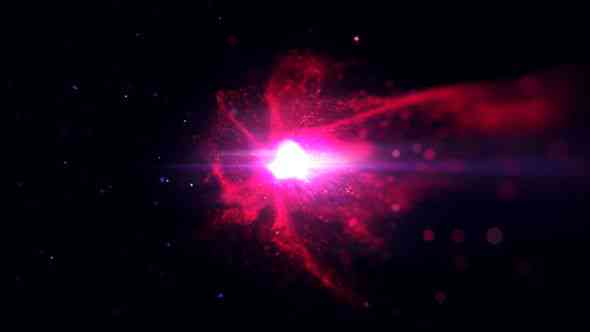
Visual Style: A mystical or cosmic animation where numerous small, brightly glowing particles converge to reveal your logo. This style creates a soft, ethereal, and high-quality visual effect.
- **Best For:** Magical games, space/exploration content, or channels requiring a subtle and professional high-end opener.
- **Resolution:** [Suggested 1920x1080 or 4K] - Please check the downloaded file for exact specifications.
- **Duration:** [Suggested duration, e.g., 0:07 seconds]
- **File Size:** [Check the specific file after download]
- **Required:** Any video editor that supports MP4 overlay and blending modes (e.g., 'Screen').

9. Wrecking Ball Breaking Wall Gaming Intro No Text
Visual Style: A powerful, aggressive animation where a massive object (like a wrecking ball) crashes through a solid surface (a wall), causing debris and impact effects that clear to dramatically reveal your logo.
- **Best For:** Destruction-focused games, strong/intense gaming brands, channels with a hard-hitting action focus, or competitive esports.
- **Resolution:** [Suggested 1920x1080 or 4K] - Please check the downloaded file for exact specifications.
- **Duration:** [Suggested duration, e.g., 0:06 seconds]
- **File Size:** [Check the specific file after download]
- **Required:** Any video editor that supports MP4 overlay.

10. Particle Flame Gaming Intro No Text
Visual Style: An intense, fiery animation featuring glowing particles erupting like flames. The particles rapidly build up and burn away or coalesce, leaving behind the powerful, heat-infused impression of the logo.
- **Best For:** High-action games, battle royales, survival games, or any channel with a strong, aggressive, or "hot" brand identity.
- **Resolution:** [Suggested 1920x1080 or 4K] - Please check the downloaded file for exact specifications.
- **Duration:** [Suggested duration, e.g., 0:05 seconds]
- **File Size:** [Check the specific file after download]
- **Required:** Any video editor that supports MP4 overlay and blending modes (e.g., 'Screen' or 'Linear Dodge (Add)').
How to Insert Your Logo into These MP4 Templates (Quick Guide)
Since these are ready-to-use video files, adding your logo requires a simple overlay technique. We recommend using a video editor that supports *Chroma Key* or *Blending Modes* (like DaVinci Resolve, Filmora, CapCut, or Premiere Pro).
- Download the MP4 file and your Logo Image file.
- Place your Logo Image file on the timeline **below** the MP4 template file.
- If the MP4 has a green screen section (like Template 10), use the **Chroma Key** tool to remove the green, revealing your logo underneath.
- If the MP4 is a pure effect, set the MP4 file's **Blending Mode** to **"Screen,"** **"Add,"** or **"Lighten"** to allow your logo to shine through the animation.
- Adjust the timing and size of your logo to fit the template's animation perfectly.
Frequently Asked Questions (FAQ)
Got questions about these free downloads? We’ve got answers.
Q: Can I use these on mobile editing apps?
A: Yes! Since they are standard MP4 files, most modern mobile editors like CapCut or InShot will support them.
Q: Do I need a special logo?
A: We recommend using a PNG file with a transparent background for the best results.
Q: Are these truly royalty-free?
A: Always check the specific license for each template, but generally, yes, these are free for personal and commercial use on platforms like YouTube.
Level Up Your Channel Today: Download Your Free Intro!
Stop wasting time and start building your brand recognition. Click the link below each template in our list to grab your free MP4 file and instantly elevate your gaming content!