
Top 10 Free After Effects Logo & Title Templates
Table of Contents
ToggleAre you looking to give your video projects that stunning, professional, and cinematic edge without spending a fortune? You’re in the right place! We know how challenging it can be to find high-quality, free After Effects templates that actually deliver. That’s why we’ve scoured the web and compiled an exclusive list of the Top 10 Free After Effects Logo & Title Templates for 2025. Whether you need a powerful cinematic logo reveal or dynamic opening AE titles for your film or YouTube channel, this collection has everything you need. Say goodbye to dull intros and download now to instantly upgrade your production quality with these amazing free AE templates—no expensive plugins required!
Why These are the Best After Effects Logo & Title Templates
A special thank you: This curated collection of cinematic templates is generously showcased by the talented creator on YouTube, **Logo Design Ideas**. You can see these templates in action and support the creator by watching the original video:
Original Video: 10 Best Cinematic Logo Reveal After Effect Template Free Download
We understand that 'templates' often implies low quality. That's why this isn't just a random list. Our curated selection focuses exclusively on **cinematic After Effects templates** that are modern, easy to customize, and, most importantly, deliver high-impact results. You'll find templates perfect for everything from YouTube branding to high-end corporate videos. Ready to see the files? Here is the complete breakdown of the **Top 10 AE Templates** you can **download now** and start using immediately.
01. Cinematic Logo Ident – Download Free After Effects Project
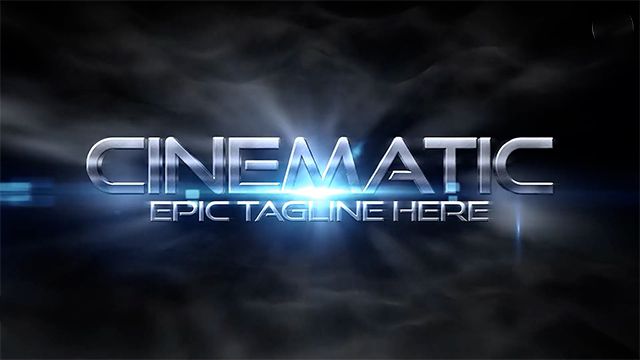
This template is perfect for quick, professional branding. The ‘Ident’ style ensures a fast but impactful reveal, ideal for the start or end screen of any video. It’s clean, modern, and the entire project file is included for free!
02. Cinematic Logo Reveal – Premium AE Template (Free)
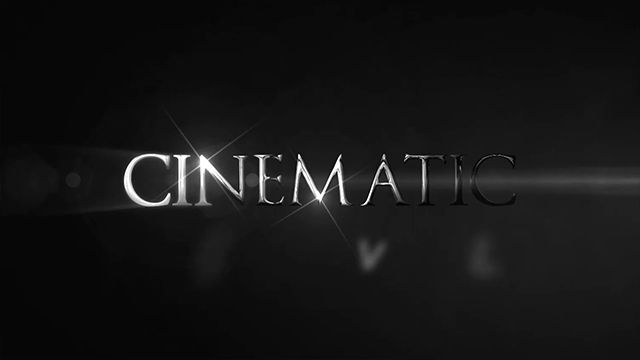
Often, “free” means low quality, but this cinematic reveal defies expectations. Featuring dramatic lighting and smoke effects, this template looks and feels like a premium purchase. A fantastic free asset for high-end video production.
03. Cinematic Hero Logo – No Plugins Required AE File
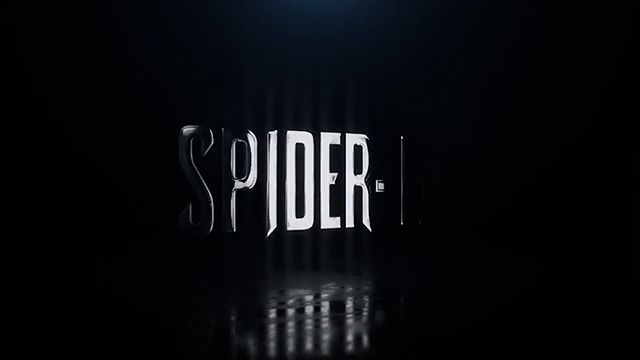
Stop wasting time installing third-party plugins! This powerful ‘Hero’ logo template delivers a striking, dynamic introduction using only standard After Effects features. It’s incredibly user-friendly and ready to use right out of the box.
04. Cinematic Logo Reveal – Full HD AE Project File
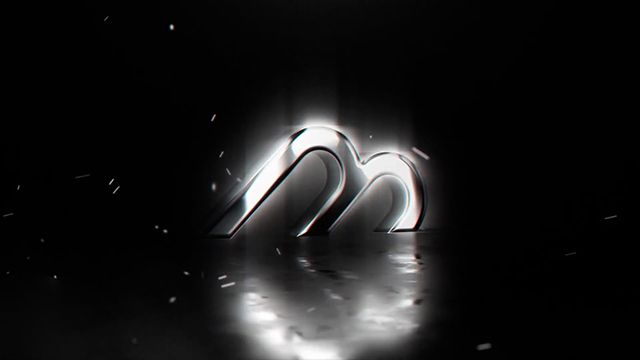
Need a reliable, standard cinematic reveal in crystal-clear Full HD (1920×1080)? This template provides a professional, solid reveal effect that’s versatile for any industry—from tech reviews to cinematic short films.
05. Logo Intro – Motion Graphics After Effects Kit
More than just a simple reveal, this template acts as a small Motion Graphics kit. It includes stylized kinetic elements that build up to your logo, giving your intro a modern, energetic, and highly dynamic feel.
06. Cinematic Logo Reveal Filmflare Logo – Free to Use
This template adds a touch of Hollywood flair with beautiful, realistic film flares and dust particles. Crucially, it is explicitly Free for Commercial Use, making it a safe and professional choice for client projects or monetized videos.
07. Ambient Logo – After Effects CC 2018+ Ready

If you prefer a calmer, more reflective branding style, the ‘Ambient Logo’ is perfect. It features slow, ethereal particles and soft lighting, ideal for meditation, lifestyle, or high-end luxury brand videos. Compatible with After Effects CC 2018 and later.
08. Peeling Logo – Template with Alpha Channel
Add a unique, tactile effect to your brand! The ‘Peeling Logo’ template dramatically strips away a surface layer to reveal your brand underneath. It also includes an Alpha Channel for easy compositing onto any background.
09. Epic Logo Title – Best Free After Effects Opener

Go big or go home! This template is designed as an ‘Opener,’ focusing on large, bold text and cinematic title sequences, which then transition into your logo. Easily one of the best free openers available today.
10. Furious Cinematic Titles – Source Files Included (AE)
Looking for intensity? These ‘Furious Cinematic Titles’ use quick cuts, impactful sound design potential (you add the audio!), and sharp movement. The best part: the full source files are included, giving you total control over every element.
How to Edit These After Effects Templates (Quick Guide)
One of the best things about these free After Effects templates is how simple they are to customize. You don’t need to be an AE expert to make them your own! Follow these general steps for most of the templates in this list:
1. Download and Open the Project File
Download: Click the link for your chosen template and save the
.zipfile. Extract the contents (you will get a.aepfile).Open: Launch Adobe After Effects (CC 2018 or newer is recommended) and open the
.aepproject file.
2. Locate the Placeholder Composition
In the Project Panel, look for the main composition. It’s usually labeled something clear like “YOUR LOGO HERE”, “EDIT LOGO”, or “PLACEHOLDER”.
Double-click on this composition to open it.
3. Replace the Logo or Text
For Logos: Simply drag and drop your own logo image (preferably a PNG with a transparent background) into the “YOUR LOGO HERE” composition. Turn off the visibility (eye icon) of the default placeholder layer.
For Titles: Double-click the text layer inside the placeholder comp and type your custom titles or taglines.
4. Adjust Colors (Optional)
Go back to the Main Render Comp (often labeled “FINAL RENDER”).
Look for a layer named “CONTROLS” or “COLOR ADJUSTMENT” (often a Null Object or Adjustment Layer). Use the Effect Controls panel to easily change the primary and secondary colors of the template.
5. Render Your Final Video
Go to Composition > Add to Render Queue.
Select your Output Module settings (e.g., set the format to QuickTime and ensure RGB + Alpha is selected if you need a transparent background).
Click Render and you’re done!
❓ Frequently Asked Questions (FAQ)
Q1: What software is required to use these templates?
A: All the logo and title templates provided are designed to be used within Adobe After Effects. We recommend using After Effects Creative Cloud (CC 2018 or newer) for best compatibility.
Q2: Can I use these After Effects templates for commercial projects?
A: Yes, many of the cinematic templates in this collection are suitable for commercial use, including client projects, monetized YouTube channels, and corporate videos. Please review the specific licensing for each file upon download to confirm usage rights.
Q3: Do I need any expensive third-party plugins?
A: We have prioritized templates that utilize standard After Effects features. The majority of these high-quality AE logo templates and title sequences do not require any third-party plugins to function.
Q4: How long does it take to customize a template?
A: Customization is generally very quick. Once you've opened the project file, replacing the placeholder logo or text usually takes less than five minutes. The total time for a final render depends on your computer's speed and the complexity of the specific motion graphics template.
Q5: Are these files provided in high resolution?
A: Yes, these are professional-grade files. All templates are prepared in high-resolution formats, typically Full HD (1920x1080) or higher, ensuring your final video output is sharp and crisp.
🔥 Final Thoughts & Your Next Cinematic Step
You now have access to a powerful collection of high-quality **After Effects logo templates** and professional title sequences. By using these assets, you can transform your video production quality instantly. Don't let complex software stop you—our quick guide shows you how easy customization can be!
Ready to explore more amazing resources? Check out our other popular collections to find exactly what your project needs:
- Discover our full range of title designs: After Effects Title Templates
- Find more project files for every video style: Premium After Effects Templates
- Need a great opening? Browse our entire library of intros: Intro After Effects Templates
👉 Download Now and Start Creating!
Click the link under each template above to **download now**. Stop waiting for the perfect template—it’s here.